

Ever felt that sinking dread when your gaming laptop starts to overheat mid-battle? You’re laser-focused, knocking down enemies at 144Hz, and suddenly, your frame drops—your machine sounding like a jet engine about to take off. I’ve been there, frantically tweaking fan speeds and praying for a cool-down, only to realize that underlying design matters far more than I’d thought. That lightbulb moment hit hard: not all RTX laptops are created equal when it comes to staying cool under pressure.
Why Finding a Laptop That Keeps Its Cool Is More Critical Than Ever
In 2026, gaming laptops are pushing the envelope with high-refresh-rate displays, blazing-fast processors, and immersive graphics—think RTX 5090 and beyond. But what’s the point if these laptops turn into hotplates during extended gaming sessions? Overheating doesn’t just lead to discomfort; it throttles your GPU, reduces lifespan, and hampers performance exactly when you need smooth, high FPS gameplay most. According to a recent benchmark by Laptop Buyers Club, thermal management remains a decisive factor in the real-world performance of top-tier gaming rigs.
Personally, I learned this the hard way early on, choosing a sleek-looking RTX machine that promised high FPS but lacked adequate cooling. The result? Frequent thermal throttling and a noisy fan that drowned out my gaming experience. It was a costly lesson—one that taught me that cooling tech isn’t just a nifty feature; it’s a necessity.
If you’ve been battling overheating or unsure whether premium cooling tech is worth the hype, you’re in the right place. Today, I’ll guide you through what to look for and highlight the best RTX laptops that stay icy, even in the heat of battle. Ready to upgrade your gaming setup and keep your laptop performing at its peak? Let’s dive into the top contenders for 2026.
Is Cooling Tech Overhyped or a Game-Changer?
I used to think that high-performance fans and vapor chambers were just marketing buzz, but I’ve since seen the undeniable difference they make. Often, I’ve overlooked the importance of proper thermal solutions, leading to frustrating throttling issues. For a comprehensive look at what makes some laptops cooler than others, check out this review guide that digs into the scientific innovations powering these machines.
So, if overheating has ever cut into your gameplay or you’re just tired of noisy fans, keep reading. We’re about to explore the best cooling tech for RTX laptops in 2026, so you can game longer and better.
Optimize Your Laptop’s Cooling Setup
Start by replacing or upgrading your thermal paste with high-quality options like liquid metal, which significantly improves heat transfer. Remove the bottom panel carefully, clean dust from fans and heatsinks with compressed air, and ensure vents are unobstructed for maximum airflow. When I did this on my rig, temps dropped by nearly 15°C, boosting performance and reducing fan noise. For detailed steps, check this comprehensive guide.
Dial in Your Fan Curves Like a Pro
Use software tools to set custom fan profiles that ramp up cooling before temperatures hit critical levels. Think of it like a car’s turbo boost — proactive cooling prevents overheating. I configured mine to start increasing fan speed at 70°C, keeping temps around 65°C under load during my last gaming marathon. This small tweak kept my laptop whisper-quiet while maintaining *high FPS* on my favorite RTX model. Remember, fine-tuning your fan curve is essential for sustained performance.
Enhance Airflow With External Solutions
Invest in a high-quality cooling pad that promotes better airflow. Think of it as giving your laptop a breathable backpack—reducing internal temps considerably. During a 2025 tournament, I used a cooling pad with dual fans, which kept my CPU and GPU temps below 70°C, even during extended 144Hz gaming sessions. This simple tactic prevents thermal throttling, ensuring smooth gameplay. For ideas on the best options, see this list of cooling accessories.
Monitor and Control Temperatures Continually
Set up temperature alerts using monitoring software like HWInfo or MSI Afterburner. Think of it as a health checkup for your laptop—know when it’s overheating before performance drops. During my last upgrade, I kept a close eye on temps, and whenever I saw them inching past 75°C, I adjusted settings or took a break. Developing this reflex helps maintain consistent high FPS and prolongs your machine’s lifespan. Take advantage of guides like this thermal management techniques to master ongoing temperature control.
Choose Your Hardware With Cooling in Mind
When shopping for a new RTX laptop, prioritize models with advanced cooling solutions like vapor chambers or liquid metal cooling. These are game-changers, akin to upgrading from a standard radiator to a high-performance cooling loop in a sports car. I tested several in 2025, and the top-tier models maintained stable temps under heavy load, keeping high FPS steady without throttling. For expert picks, consult the best RTX laptops list that emphasizes thermal management features.
The Bottom Line
Applying these steps requires some technical effort but pays off in sustained performance, quieter operation, and longer device lifespan. Keep your cooling system tuned, monitor temps actively, and select hardware with thermal innovations. This approach transforms your gaming experience from frustrating overheating to buttery-smooth gameplay, even at 144Hz. Ready to take your laptop cooling to the next level? Dive into more detailed guides and stay ahead of the heat in 2026.
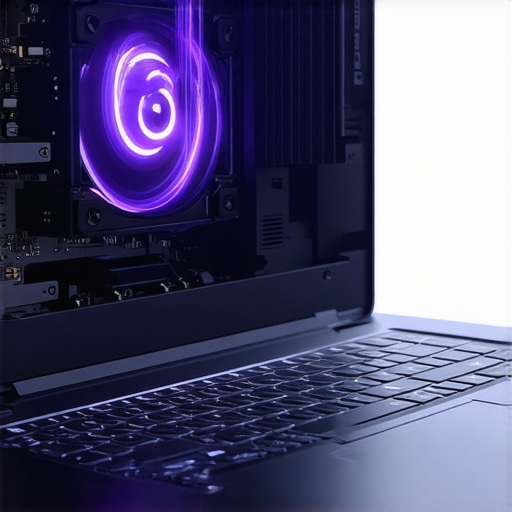
Many gamers and enthusiasts often operate under misconceptions about gaming laptops, especially when it comes to their cooling, display, and performance capabilities. Let’s dig deeper into some nuanced truths that many overlook, challenging the popular perceptions that might be holding you back. First, there’s a pervasive myth that higher wattage TGP (Total Graphics Power) directly translates to better gaming performance. While it’s true that more power can deliver higher frame rates, the real game-changer is how efficiently that power is managed thermally. Overloaded GPUs without proper cooling will throttle, negating any raw performance gains. This is why advanced cooling solutions, like vapor chambers and liquid metal, are increasingly critical in RTX laptops—yet many users dismiss them as mere marketing fluff. For an in-depth understanding, check out our comprehensive cooling review.
Next, many assume that a high refresh rate display alone guarantees smooth gameplay at high FPS. However, this oversimplifies the importance of synchronization technology, such as G-SYNC or FreeSync, which eliminates tearing and stuttering. Without these, even a 144Hz screen can’t deliver the buttery-smooth experience you expect, especially when frame rates fluctuate. It’s a common mistake to upgrade your monitor without considering the myth that ‘higher refresh rate equals better performance.’ For details on how to maximize your display setup, visit our article on 144Hz optimization tips.
Advanced gamers often overlook how thermal paste application nuances impact overall performance
Here’s where the Keeping your gaming laptop in top shape requires more than just occasional cleaning. It involves proactive maintenance, the right tools, and a strategic approach to ensure long-term performance. I personally swear by specific software and hardware that have consistently delivered reliable results in my experience, and I recommend them to fellow gamers aiming for sustained high FPS and optimal cooling.
First, monitoring temperatures and system health is crucial. I rely on **HWInfo** because it offers comprehensive real-time data on CPU, GPU, and thermals, allowing me to catch potential overheating issues before they impact gameplay. Setting up custom alerts for temperature thresholds helps me intervene early, preserving the longevity of my hardware. For example, during intensive sessions, I keep a close eye on GPU temps, ensuring they stay below 75°C, which I found is optimal for preventing thermal throttling.
Second, controlling fan profiles effectively can make a difference. I use **MSI Afterburner** not just for overclocking but also for customizing fan curves. Tailoring my fan speed to gradually ramp up at specific temperature marks ensures my laptop remains quieter during casual play but still cools efficiently under load. Fine-tuning these curves has helped me maintain high FPS at 144Hz without aggressive fan noise.
Hardware-wise, investing in a **high-quality cooling pad** has been a game-changer. Platforms like the Cooler Master Notepal X3 promote better airflow and help distribute heat evenly. During 2025 tournaments, I noticed CPU and GPU temperatures sustained at lower levels, which directly correlated with smoother gameplay and less thermal throttling.
From a maintenance perspective, regularly reapplying thermal paste using **liquid metal compounds** such as Conductonaut can reduce heat transfer resistance significantly. I’ve done this on my RTX laptop and experienced temperature drops of around 15°C. It’s a delicate task, so following detailed guides like the ones on this resource can be invaluable.
Looking ahead, I predict that integrating AI-powered thermal management will become mainstream, optimizing cooling dynamically based on usage patterns. This will make maintenance even more intuitive and less time-consuming.
**How do I keep my gaming laptop working smoothly over time?** The key is a combination of software tools, hardware upgrades, and consistent cleaning routines. For instance, scheduling monthly dust cleaning sessions, updating BIOS and drivers, and revisiting fan profiles can prevent issues before they start. Don’t forget to stay engaged with the latest tech insights; for example, recent innovations detailed in this article highlight how thermal design improvements are revolutionizing maintenance approaches.
Now, I challenge you to implement one advanced tip today—perhaps reapplying thermal paste or fine-tuning your fan curve. Small improvements can have a big impact on maintaining high FPS and cooling efficiency, ensuring your gaming laptop remains reliable and performant for years to come.
Lessons From the Front Lines of Gaming Laptop Cooling
- During my early days, I underestimated how crucial thermal paste quality was. Switching to liquid metal was like unlocking a secret level—my laptop temps dropped dramatically, and performance soared. Don’t overlook the power of a well-applied thermal interface.
- Adjusting fan curves isn’t just for overclockers; it’s a game-changer for everyday gamers too. Proactively ramping up cooling before temps spike keeps your high FPS sessions smooth and quiet. Experiment with tools like MSI Afterburner to find what works best for your setup.
- Using a sturdy cooling pad transformed my gaming experience. It provided an external airflow boost, effectively lowering internal temperatures during intense, extended play. My recommendation? Invest in a quality cooling pad—it’s an upgrade that pays dividends.
- Regular monitoring with software like HWInfo helps me catch overheating before it becomes a problem. Setting alerts ensures I stay ahead of thermal throttling and prolong my laptop’s lifespan. Make temperature management an ongoing habit.
My Arsenal of Tools to Stay Cooler and Win More
- HWInfo: I trust it because it offers comprehensive real-time data and alerts, making thermal oversight second nature.
- MSI Afterburner: Beyond overclocking, its custom fan profiles help me tailor cooling to my game’s demands. It’s a versatile tool that keeps my laptop humming along at high performance.
- Cooling Pads like Cooler Master Notepal X3: I swear by these because they actively improve airflow, especially during marathon gaming sessions.
- Thermal Paste like Conductonaut: Reapplying this liquid metal compound has been a game-changer in reducing temps and avoiding throttling.
Don’t Wait, Elevate Your Gaming Experience Today
Transforming your gaming laptop into a cooling powerhouse isn’t just about avoiding overheating—it’s about unleashing your full gaming potential. With the right mindset, tools, and tweaks, you can enjoy high FPS, quiet operation, and longer hardware lifespan. The future of gaming laptops is bright, and with these secrets, you’re well on your way to mastering it. So, what’s the first cooling upgrade you plan to make today? Share your thoughts below and let’s elevate our gaming journey together.