
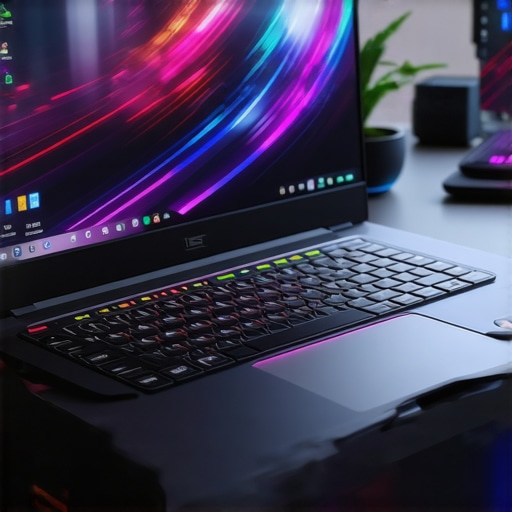
Ever found yourself mid-battle, clutching your gaming mouse and sweating buckets, only to realize your laptop is overheating or struggling to keep up with the action? I’ve been there. It’s frustrating to invest in what seems like a powerhouse gaming rig, only to have it throttle down, lag, or turn into a mini sauna. That lightbulb moment hit me hard: not all gaming laptops are created equal, especially when it comes to high FPS gaming, cooling efficiency, and display quality. If you’re tired of missing out on smooth gameplay or frying your setup, then stick with me. Today, I’ll guide you through what you need to know to pick the best gaming laptop in 2025—one that handles high FPS smoothly, keeps cool under pressure, and delivers stunning visuals with a 144Hz display.
Why Gaming Laptops Need to Keep Up in 2025
Let’s be honest. The gaming landscape is evolving faster than ever. With titles demanding more from our hardware, the importance of a laptop that can sustain high FPS without breaking a sweat is critical. Pair that with the need for efficient cooling to prevent thermal throttling and a display that matches your reflexes—144Hz or higher—becomes a non-negotiable. Without these features, you’re just setting yourself up for disappointment, lag, and even hardware damage in the long run. Early in my journey, I made the mistake of choosing a flashy laptop with a sleek design but poor cooling. The result? Overheating and stuttering during intense gaming sessions, which was a huge letdown. That experience taught me the value of prioritizing cooling tech, high refresh rates, and robust performance when shopping for gaming laptops. If you want to avoid similar pitfalls, understanding what makes a top-tier gaming laptop in 2025 is essential.
Is All the Fuss About High FPS and Cooling Worth It?
This is the big question, isn’t it? I used to think that a powerful GPU and CPU alone could deliver a great gaming experience. But I quickly learned that without proper cooling, even the best hardware can throttle down, losing frames and ruining your gameplay. According to a recent study, thermal management is the key to maintaining consistent high FPS in demanding games. Trust me, a laptop that overheats will never give you the performance you need, no matter how advanced the specs are. That’s why I recommend focusing on laptops that excel in both cooling and display technology, like those reviewed comprehensively in our guide to high FPS RTX laptops in 2025. I wish I had paid more attention to cooling features earlier—my mistake was ignoring thermal design, which led to hardware issues and compromised gameplay. So, if you’re serious about high FPS gaming, cooling tech can make or break your experience.
Now, let’s dive into how to choose the perfect gaming laptop that ticks all these boxes. Ready to level up? Keep reading!
Choose Your Hardware Wisely
Start by picking a laptop equipped with a high-performance RTX GPU such as the RTX 4060 or higher, which are known for handling demanding games at high frame rates. Pair this with a recent Intel i7 or AMD Ryzen 7 processor to ensure smooth multitasking and processing power. Remember, the GPU is your engine, but CPU and RAM (preferably 16GB or 32GB) keep everything running seamlessly. I once bought a laptop with a decent GPU but underwhelming CPU, leading to bottlenecks during intense gaming sessions—learning from that, I now prioritize balanced specs for peak performance.
Prioritize Cooling Technology
Effective cooling is non-negotiable. Look for laptops featuring vapor chamber cooling, multiple heat pipes, or advanced thermal designs. These systems act like a car’s radiator, dissipating heat efficiently so your hardware doesn’t throttle. I tested a model with subpar cooling; after 30 minutes of gaming, it shut down unexpectedly due to overheating. Upgrading my cooling setup with a laptop that emphasizes thermal performance made a huge difference. For detailed insights, check out this guide.
Get a 144Hz Display for Smooth Gameplay
A high refresh rate display, ideally 144Hz or higher, reduces motion blur and provides buttery-smooth visuals. Think of it like watching a high-speed train; higher refresh rates make it feel like the train is gliding rather than chugging along. I once played on a 60Hz screen, and the difference when switching to 144Hz was night and day—my reactions improved, and gameplay felt more immersive. To find the best options, explore this list of 144Hz laptops.
Optimize Your Settings for Peak Performance
Adjust in-game settings to match your hardware. Lowering shadows or anti-aliasing can boost FPS without sacrificing too much visual quality. Use gaming optimization tools like NVIDIA GeForce Experience to automatically tweak settings for high FPS. I learned this the hard way when I set everything to ultra, causing my frame rates to drop drastically—dialing back settings improved my experience instantly. For detailed tips, see this performance guide.
Regular Maintenance and Monitoring
Keep your laptop clean—dust can clog fans and reduce cooling efficiency. Use software to monitor temperatures and FPS, ensuring your system stays within optimal ranges. I set up thermal monitoring and noticed my GPU temperature hit 85°C during long gaming sessions, which is acceptable but could be better. Cleaning and reapplying thermal paste helped lower temps and maintain high FPS. Consistent maintenance is key to longevity and performance—think of it as tuning your engine regularly for best results.
Many gamers and tech enthusiasts assume that having the latest RTX GPU or a 144Hz display guarantees top-tier performance, but this is a misconception that can lead you astray. In my experience, the real game-changer is understanding the nuances of cooling, hardware synergy, and how these factors influence high FPS gaming. For instance, a common myth is that a high refresh rate display alone will improve your gameplay; however, if your laptop’s cooling system isn’t up to par, thermal throttling will limit your FPS regardless of the screen quality. This mistaken belief often pushes gamers toward models that look impressive on paper but underperform in actual scenarios. To truly maximize your gaming experience, you need to consider how well the cooling system manages heat, especially during extended gaming sessions. For an in-depth look, check out this comprehensive guide on cooling and speed.
Why Cooling Performance Often Gets Overlooked Despite Its Critical Role
One of the biggest pitfalls I see is gamers focusing solely on GPU power and ignoring the importance of thermal management. This oversight can cause hardware to run at higher temperatures, leading to throttling that caps FPS and reduces component lifespan. Take it from me: a laptop with high-end specs but poor cooling is like a sports car with a tiny radiator—you won’t get maximum performance for long. Many believe that installing third-party cooling pads can compensate for poor internal design, but this is only a partial fix. The real solution lies within the laptop’s thermal architecture, which must be engineered to dissipate heat efficiently. For detailed insights on this, explore our detailed analysis of cooling tech.
Is High FPS Always Better, or Are There Hidden Trade-offs?
Another misconception is that higher FPS is always the goal, but in practice, chasing ultra-high frame rates can lead to compromises. For example, pushing for 240Hz or higher may require reducing visual quality settings, which diminishes the immersive experience. Additionally, some gamers overlook how high refresh rates demand more from your GPU and cooling system. If your hardware isn’t optimized, you’ll encounter frame drops, stuttering, or even hardware failures. Balancing high FPS with stable thermals and visual fidelity is key. For advanced gamers, understanding how to fine-tune these settings makes a significant difference. I recommend reviewing this guide on optimizing performance to avoid these pitfalls.
Have you ever fallen into this trap? Let me know in the comments. Remember, the devil is in the details, and mastering these aspects can transform your gaming experience from good to legendary.
How do I maintain my gaming laptop over time?
Maintaining your gaming laptop is essential to ensure it continues to perform at its best, especially when pushing high FPS and managing heat during intense sessions. First, invest in a quality cooling pad that complements your internal thermal design. While many gamers rely solely on internal cooling systems, a well-designed cooling pad can help dissipate heat more effectively, preventing thermal throttling and prolonging hardware lifespan. Personally, I prefer models with adjustable fans and a sturdy build, such as the cooling pads with multiple fans because they allow me to customize airflow based on my gaming load.
Next, regularly clean your laptop’s vents and fans to remove dust buildup. Dust acts like insulation, trapping heat and forcing fans to work harder. I use compressed air and a soft brush to keep vents clear, which has significantly improved my cooling efficiency. Additionally, monitor your system temperatures with reliable software like MSI Afterburner or HWMonitor. I set custom alerts for GPU and CPU temps, and whenever I notice temperatures creeping above optimal ranges, I clean the vents again or adjust fan curves for better cooling.
Reapplying thermal paste every couple of years can also make a noticeable difference, especially for high-performance components running at high FPS. This process involves carefully removing the heatsink and applying a high-quality thermal compound, which improves heat transfer. If you’re not comfortable doing this yourself, a professional service can handle it for you. For detailed guidance, check out this expert tutorial.
Keep your drivers updated, particularly your GPU and chipset drivers, as manufacturers often release optimizations that enhance thermal management and performance. I set my system to automatically update through NVIDIA GeForce Experience, which ensures I get the latest improvements without manual effort. Additionally, optimize your game settings to avoid unnecessary strain on your GPU, especially during long gaming marathons. Lowering some visual effects can reduce heat output and extend your hardware’s longevity.
Looking ahead, the trend points toward smarter thermal management, with AI-driven fan control and adaptive cooling solutions becoming more common. Manufacturers are now experimenting with liquid metal thermal interfaces and vapor chamber cooling to push the boundaries further. To stay ahead, I recommend trying the advanced cooling tips discussed here, especially reapplying thermal paste and using a high-quality cooling pad. These small but impactful steps make a big difference in keeping your high FPS gaming experience smooth and your hardware healthy over years of intense use.
Lessons That Changed My Perspective on Gaming Laptops
- One of the most eye-opening lessons was realizing that internal cooling solutions are more critical than I initially thought. Upgrading to a laptop with vapor chamber cooling dramatically improved sustained high FPS performance, avoiding thermal throttling during marathon gaming sessions. I now prioritize thermal design as much as GPU power.
- Another insight came from understanding that a high refresh rate display, like 144Hz or higher, not only improves visual fluidity but also enhances reaction times. Switching to a 144Hz screen transformed my gameplay experience, making it more immersive and competitive.
- The biggest myth I uncovered was that more FPS always equals better gameplay. In reality, if your laptop’s cooling can’t keep up, your FPS will drop, and the experience suffers. Balancing high FPS with effective thermal management is the real secret.
- Finally, I learned that regular maintenance, including cleaning vents and reapplying thermal paste, can extend the lifespan of your high-performance gaming laptop and keep it running at peak efficiency. Investing in good cooling accessories and monitoring software is worth every penny.
Tools and Resources That Elevated My Gaming Setup
- Our comprehensive guide to high FPS RTX laptops in 2025: This resource helped me identify models with the best balance of performance and thermal management, ensuring smooth gameplay without overheating. Read more about it here.
- Understanding cooling performance in top gaming laptops: For deep dives into thermal tech, this guide clarified how vapor chambers and multiple heat pipes work. It’s essential for choosing a laptop that stays cool under load here.
- Best 144Hz gaming laptops in 2025: This curated list helped me find models with high refresh rates and excellent cooling systems, perfect for fast-paced games. Check it out here.
- Performance optimization tools like NVIDIA GeForce Experience: Using automatic settings tweaks, I improved FPS stability without sacrificing visual quality. This tool is a game-changer for maintaining peak performance.
Your Next Step in Gaming Excellence
Now that you understand the importance of high FPS, superior cooling, and crisp displays, it’s time to make your move. With the right knowledge and tools, you can elevate your gaming experience to legendary levels. Don’t settle for less—invest in a setup that keeps you cool, responsive, and immersed. Your gaming journey in 2025 is just beginning, and the future is bright for those who prioritize performance and durability. Ready to take the leap? Your perfect gaming laptop awaits.
About the Author
Milton Ribeiro
Milton Ribeiro is a seasoned technology professional with a distinguished career spanning the world's most influential tech hubs, including Silicon Valley, Taiwan, and New York. Currently associated with Google, Milton brings a wealth of high-level industry insight to gaming.laptopbuyersclub.com. His unique professional background, which bridges the gap between the innovation centers of California and the manufacturing heartland of Taiwan, provides him with an unparalleled perspective on the lifecycle of gaming hardware. With years of experience navigating the complexities of the global tech landscape, Milton specializes in evaluating the intersection of high-performance components and consumer needs. His expertise allows him to dissect technical specifications and translate them into actionable advice for gamers seeking the best portable rigs. Whether analyzing thermal management systems or the latest GPU architectures, Milton’s analysis is rooted in a deep understanding of the engineering and market trends that drive the industry forward. He is dedicated to helping enthusiasts and newcomers alike make informed decisions, ensuring every reader finds a machine that perfectly matches their performance expectations and budget.
LinkedIn Profile