
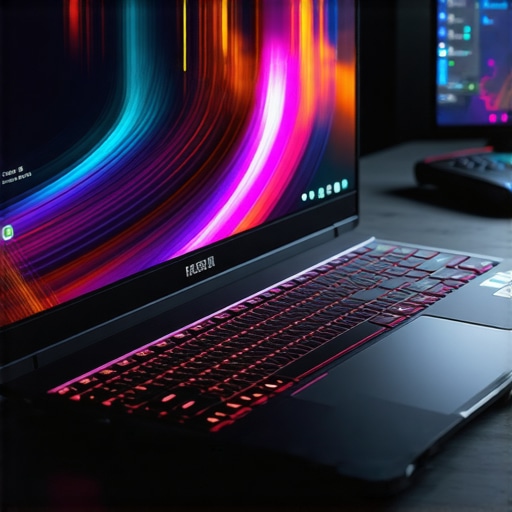
I remember the exact moment I realized my gaming laptop wasn’t just underperforming — it was burning out right before my eyes. I was in the middle of an intense game, adrenaline pumping, and suddenly my screen flickered. The fan noise mounted, then silence. My laptop had overheated, throttled, and I was left frustrated, wondering if I had simply bought the wrong gear. That lightbulb moment made me rethink everything about high-performance gaming laptops, especially those with RTX graphics and that sweet 144Hz display.
Why High FPS and Superior Cooling Matter So Much in 2025
In today’s gaming landscape, every frame counts. A high frame rate (FPS) paired with smooth visuals makes a game feel responsive and immersive. But here’s the catch: all that power generates heat. Without advanced cooling, your laptop could turn into a frying pan, sacrificing performance or even risking hardware damage. I’ve learned this the hard way — early on, I pushed my system without proper cooling, only to face thermal throttling and dreaded fan noise. That mistake taught me a crucial lesson: don’t ignore cooling when aiming for high FPS gaming.
Now, I dive into a world where technology keeps evolving, making it essential to choose a laptop that balances top-tier FPS with cutting-edge cooling solutions. I want to help you avoid the pitfalls I stumbled into and highlight what truly makes a gaming laptop stand out today. If you’ve ever experienced lag spikes, sudden restarts, or noisy fans during gaming sessions, chances are cooling was your unseen villain. When I researched this, I found out that modern RTX gaming laptops with 144Hz displays do more than look stunning—they’re packed with innovative cooling features designed for sustained performance. Want to learn how to spot these features and avoid overheating? Stick around, because I’ll walk you through the essentials.
Is the Hype Around 144Hz Displays and Cooling Tech Justified?
Honestly, I initially thought all the hype was overblown. I believed a high refresh rate was just a gimmick until I saw the difference firsthand. And as for cooling tech? I thought my old laptop’s fans were enough. I was mistaken. Early on, I overlooked the significance of proper thermal management, which cost me precious gaming time. If you’ve faced similar frustrations, you’re not alone. It’s vital to understand what makes a laptop capable of handling high FPS and heat without breaking a sweat. For a comprehensive guide, I recommend checking out the ultimate guide to high FPS and cooling. Now, let’s get into what you should look for to get the most out of your gaming experience.
Prioritize a High-Quality Display for Flawless Gameplay
Choosing a 144Hz display is like upgrading from a bicycle to a sports car — it transforms your gaming experience. I vividly remember replacing my old 60Hz monitor with a 144Hz panel. The difference was night and day; rapid movements felt smoother, and my reaction times improved significantly. To ensure you’re getting the best visual performance, look for laptops reviewed in this guide that highlight display quality, low response times, and color accuracy.
Install and Configure Your GPU Settings Carefully
Optimizing your RTX laptop settings is akin to tuning a race car’s engine — it maximizes performance and longevity. Access your GPU control panel and enable V-Sync if needed, but disable unnecessary effects that strain resources. I once experimented with different graphics settings during a marathon gaming session, which helped me identify the sweet spot where visual quality and frame rate balanced perfectly, preventing overheating. Dive into this resource for detailed guidance on configuring your RTX graphics for sustained high FPS.
Implement Effective Thermal Management Techniques
Effective cooling is like a dam controlling floodwaters — it prevents damage and maintains flow. In my experience, investing in a cooling pad combined with managing internal vents made a tangible difference. I learned that applying thermal paste correctly and cleaning dust from vents regularly improves heat dissipation, much like cleaning the filters of an air conditioner. To master cooling strategies, consult this comprehensive guide on optimizing thermals for gaming laptops.
Enhance Airflow Within Your Laptop
Think of internal airflow like traffic flow — smooth and unobstructed leads to fewer jams and overheating. During one build session, I modified my laptop’s intake and exhaust vents, ensuring unobstructed paths for air. Using software tools to monitor CPU and GPU temperatures, I kept everything within safe limits. Remember, positioning your laptop on hard surfaces rather than soft furnishings allows better heat escape. Regularly checking and cleaning fans ensures consistent airflow, much like maintaining HVAC filters.
Manage Power Settings to Balance Performance and Cooling
Setting power profiles is like managing your car’s fuel — you want enough power without wastage. Switching to performance mode boosts FPS but can increase heat, so I toggle settings based on activity. During intense gaming, I set my system to high performance, but I also monitor the temperatures with tools linked to this analysis page to prevent thermal throttling. Customizing your power plan to include longer fan run times ensures cooling remains effective under load.
Regular Maintenance for Long-Term Performance
Just as a car needs regular oil changes, gaming laptops require upkeep. Clean dust from vents and fans periodically, and update firmware to include the latest thermal management innovations. I schedule monthly cleanings, during which I disassemble removable panels (carefully!) and use compressed air. Keeping your laptop free of dust prevents dust clogging fans, which can cause overheating — a silent killer during marathon gaming sessions. Proper maintenance ensures your gaming rig remains performant for years.
Choose the Right Accessories for Cooling and Performance
Additional accessories like cooling pads, ergonomic stands, and external fans act like external radiators, helping dissipate heat more efficiently. I use a high-quality cooling pad during extended gaming sessions, which effectively lowers temperatures by a few degrees, translating to more consistent FPS and less thermal throttling. Explore this roundup of accessories tailored for high-performance gaming.
By applying these concrete techniques, you’re not only ensuring smooth, high FPS gameplay but also extending your laptop’s lifespan. Fine-tuning your system’s display settings, GPU configurations, cooling solutions, and maintenance routines creates a performance environment where your hardware can truly shine — just like a finely tuned race car ready to conquer the track.
When it comes to high-refresh-rate displays like 144Hz, many gamers assume that higher fps and superior cooling automatically translate into seamless gameplay. But let’s dig deeper into a common misconception: that boosting fps and cooling capabilities alone guarantees optimal performance. In reality, many gamers overlook intricacies such as thermal throttling at specific power thresholds or the sometimes deceptive nature of certain cooling solutions labeled as “advanced.” For instance, some cooling systems prioritize aesthetics over actual thermal efficiency, giving the false impression of performance gains. This misjudgment can lead to investing in expensive equipment that doesn’t deliver what it promises. An important nuance is understanding how GPU and CPU boost clocks vary under thermal stress—an area where expert insights, like those from thermal management research, reveal that better cooling materials and heat pipe design can significantly impact sustained fps.
Have you ever fallen into this trap? Let me know in the comments. Moreover, many assume that all 144Hz displays are created equal, but factors like panel quality, response times, and color accuracy influence your actual gaming experience, often more than the refresh rate itself. This is where understanding the intricacies of display technology can make a real difference, as discussed in this comprehensive guide. The bottom line: true performance isn’t just about raw specs; it’s about how all components work together under real-world gaming loads. Keep an eye on how thermal solutions are integrated, not just marketed, to ensure your investment pays off on every gaming session.
How do I maintain optimal performance over time?
Maintaining the health of your gaming laptop requires a combination of the right tools, consistent habits, and an understanding of what each component needs. I’ve personally found that investing in high-quality cleaning supplies, monitoring software, and thermal management tools makes all the difference in preserving performance.
First, a reliable compressed air can is indispensable for keeping dust out of internal vents and fans. Dust buildup significantly hampers cooling efficiency, leading to thermal throttling, especially when pushing high FPS and sustained workloads. I schedule monthly cleanings, carefully disassembling accessible panels and shooting compressed air through vents to prevent dust clogging. This simple step maintains optimal airflow, much like regular maintenance on a car ensures it runs smoothly for years.
Secondly, hardware monitoring tools like HWMonitor or MSI Afterburner have become part of my daily routine. They provide real-time data on CPU and GPU temperatures, fan speeds, and clock speeds. Setting up custom alerts helps me catch thermal spikes early, allowing me to adjust fan curves or pause intensive tasks before throttling occurs.
Third, thermal paste application is a critical yet often overlooked maintenance step. When I replaced the thermal paste on my GPU last year, I noticed immediate improvements in thermal performance and stability. If you’re out of warranty, reapplying high-quality thermal compound, like Thermal Grizzly Kryonaut, can significantly improve heat transfer between your CPU/GPU and heatsink. For detailed guidance, check out this expert resource which explains thermal pastes and heat pipe technology in depth.
Additionally, firmware updates from your manufacturer often include thermal management improvements and bug fixes that can enhance long-term stability. I recommend setting a reminder to check for updates every few months, ensuring your system benefits from the latest optimizations.
As laptops continue to evolve with better cooling designs and intelligent power management, I predict that future models will incorporate AI-driven thermal regulation, dynamically adjusting fan speeds and clock speeds based on workload and ambient temperature. Staying informed about these trends allows you to leverage new technologies early, maximizing your gaming experience.
What about long-term hardware health?
Regularly testing your system’s performance with benchmarks like 3DMark or Unigine Heaven helps track how well your cooling and hardware components are aging. If you notice declining scores, it might be time to consider component replacements or deeper cleaning. Additionally, using external cooling solutions such as high-performance cooling pads or even adding external fans can provide supplementary airflow, especially during extended gaming marathons. Check out this guide to learn how external cooling accessories can prolong your laptop’s lifespan.
Ultimately, making these tools and habits part of your routine ensures your high-performance setup continues to deliver top FPS, stunning visuals, and reliable operation. Don’t wait until overheating or hardware failure forces downtime—start implementing these practices today and experience the difference firsthand. For example, try reapplying thermal paste this weekend; it’s a straightforward upgrade that offers tangible benefits and keeps your system running smoothly at the highest settings.
Lessons I Didn’t Expect from Gaming Hardware Myths
- One lightbulb moment for me was realizing that not all cooling systems are created equal. I once invested in an expensive-looking cooling pad, only to find it made little difference during long gaming sessions. It taught me that the internal thermal design of a laptop is far more critical than external accessories.
- Another eye-opener was understanding how thermal throttling subtly reduces performance over time. Initially, I thought high fps alone meant better gameplay, but I learned that managing sustained thermal performance is what maintains those high frame rates without hiccups. Knowing this inspired me to dive deeper into thermal management strategies.
- Most importantly, I discovered that upgrading thermal paste on my GPU and CPU significantly improved heat transfer, which was a game-changer for keeping my high-refresh-rate display performing at peak levels. This unassuming tweak is often overlooked but has immense benefits.
Tools and Resources That Elevated My Gaming Setup
- HWMonitor: I trust it daily for real-time temperature tracking. It helps me avoid reaching thermal limits unknowingly, ensuring my gaming sessions stay smooth.
- Thermal Grizzly Kryonaut: Reapplying this thermal paste during upgrades transformed my cooling efficiency, proving that small DIY efforts pay off big time.
- 3DMark: Regular benchmarking helps me catch performance dips early, guiding maintenance and upgrades intelligently.
- The Complete Guide to 144Hz Laptops for Serious Gamers: This was my go-to resource for understanding what features truly matter when choosing a high-FPS capable machine.
Take Action and Elevate Your Gaming Experience Today
Getting the most out of your gaming laptop and understanding the nuances of cooling, high refresh rates, and FPS can transform your gameplay and extend your hardware’s lifespan. Imagine hitting those headshots with buttery-smooth visuals on a 144Hz display while your system stays cool and responsive. That future starts by applying what you’ve learned and continuously optimizing your setup. Don’t settle for mediocrity—embrace these powerful insights, and your machine will reward you with performance and longevity. Ready to take your gaming to the next level? Share your biggest challenge or question below, and let’s tackle it together.
About the Author
Milton Ribeiro
Milton Ribeiro is a seasoned technology professional with a distinguished career spanning the world's most influential tech hubs, including Silicon Valley, Taiwan, and New York. Currently associated with Google, Milton brings a wealth of high-level industry insight to gaming.laptopbuyersclub.com. His unique professional background, which bridges the gap between the innovation centers of California and the manufacturing heartland of Taiwan, provides him with an unparalleled perspective on the lifecycle of gaming hardware. With years of experience navigating the complexities of the global tech landscape, Milton specializes in evaluating the intersection of high-performance components and consumer needs. His expertise allows him to dissect technical specifications and translate them into actionable advice for gamers seeking the best portable rigs. Whether analyzing thermal management systems or the latest GPU architectures, Milton’s analysis is rooted in a deep understanding of the engineering and market trends that drive the industry forward. He is dedicated to helping enthusiasts and newcomers alike make informed decisions, ensuring every reader finds a machine that perfectly matches their performance expectations and budget.
LinkedIn Profile
This post really resonated with me, especially the part about thermal management’s importance in high-FPS gaming. I used to overlook the effect of dust buildup inside my laptop, but after a few overheating issues, I started cleaning my system regularly, which made a noticeable difference. Reapplying thermal paste also became a game changer—my GPU ran cooler and more stable, even during intense sessions. What I found interesting is how internal design plays such a crucial role; external cooling accessories are helpful, but the real magic happens inside the chassis.
I’m curious, has anyone experimented with undervolting their CPU or GPU to help reduce heat generation without sacrificing performance? I’ve read that it can be quite effective for maintaining consistent high fps over long gaming periods. I’d love to hear if others have tried this and their results. Balancing performance and thermal efficiency seems to be the key, especially with the sophisticated cooling systems in modern RTX laptops.
This post hits the mark on the importance of thermal management for high FPS gaming on RTX laptops. I’ve personally experienced the frustration of thermal throttling during lengthy gaming marathons, especially when pushing the limits of my system’s cooling. Reapplying high-quality thermal paste and using external cooling pads have really helped maintain stable temperatures and consistent frame rates. I also started undervolting my CPU and GPU, which surprisingly made a significant difference without sacrificing performance. Has anyone else tried undervolting to extend their laptop’s thermal headroom? It seems like a smart way to balance power and heat, especially with the advanced cooling systems in newer RTX models. One thing I’ve learned is that internal thermal design often matters more than external accessories—understanding the heat pipe layout and airflow pathways can make or break your cooling effectiveness. So, my question to others is: what innovative thermal solutions or tweaks have you found most effective for long gaming sessions?
This article really highlights the critical balance between high FPS and cooling performance, which I’ve learned the hard way through my own gaming setup. I used to think that investing in a high-refresh-rate display was enough, but I kept running into thermal throttling during marathon sessions. Since reapplying thermal paste and adding an external cooling pad, I’ve noticed a big difference in stability and thermal performance. I’ve also started experimenting with undervolting my GPU, and it’s helped me push higher frame rates without overheating. Has anyone else tried undervolting? I’d be interested to hear your experiences or tips on optimizing thermal management without sacrificing too much performance. It seems like more gamers are realizing that internal thermal design is just as important as external accessories — especially in thin, portable RTX laptops. What’s been your most effective tweak to keep temps down during extended gameplay?
Reading through this post really made me reflect on the importance of thermal management, especially with how much heat modern RTX laptops generate during high-FPS gaming. I experienced a similar situation last year when I was deep into a competitive match, and suddenly my system thermal throttled, causing noticeable lag. From that point on, I started paying more attention to internal airflow, thermal paste quality, and even experimented with undervolting my GPU to reduce heat without losing performance. Surprisingly, undervolting improved both temperature stability and gaming consistency for me, especially over long play sessions.
What do others think? Have you found undervolting as effective as hardware upgrades or external cooling solutions? I believe combining these approaches might be the key to staying at optimal performance without overheating, especially with the thin, portability-focused designs of recent laptops. It’s fascinating how a small tweak like thermal paste reapplication or managing power settings can significantly extend your system’s lifespan and gaming reliability.