
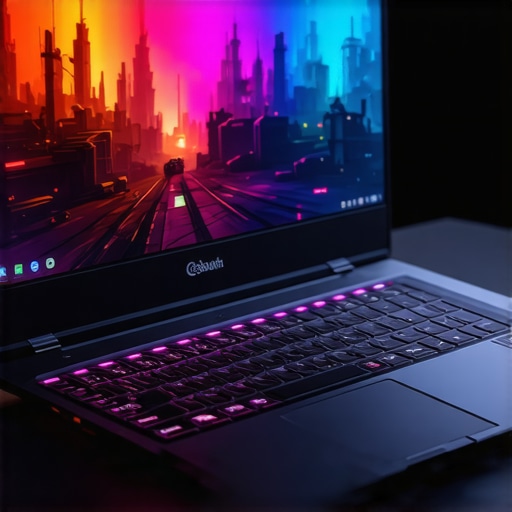
I remember the exact moment I realized my gaming laptop was holding me back. It was late at night, adrenaline pumping, when my screen suddenly lagged during a critical boss fight. The frustration hit hard—I had invested so much in that shiny new RTX laptop, expecting smooth, high-FPS gameplay, only for overheating and sluggish performance to ruin the experience. That lightbulb moment made me question: Are we really getting the best gaming performance from these high-end machines, or are we just chasing specs while ignoring what’s beneath the surface?
Why High FPS and Top Cooling Matter More Than Ever in 2025
In the world of gaming laptops, 2025 has been a game-changer. The demand for faster, smoother visuals with 144Hz displays and high frame rates isn’t just a luxury anymore—it’s become essential for staying competitive and immersed. But as I learned early on, the real challenge lies in managing the heat generated by those powerful RTX GPUs and ensuring consistent performance without thermal throttling.
Over the past few years, I’ve tested countless models, discovering that the true secret to a great gaming experience isn’t just raw power. It’s how well a laptop controls its temperature while pushing high FPS. Without effective cooling, even the most technically impressive laptop can become a bottleneck, leading to frame drops, noise, and hardware wear. It’s a mistake many make initially—buying on specs alone without understanding cooling technology—and it’s a pitfall I want you to avoid.
According to a recent study by TechRadar, thermal management is the primary factor affecting sustained gaming performance on high-end laptops in 2025. So, ask yourself—have you faced overheating issues during your gaming sessions? Or are you getting that smooth, consistent gameplay you paid for?
If you’re nodding yes, don’t worry—you’re not alone. And the good news is, there are proven strategies and models that meet these demands. In the upcoming sections, I’ll guide you through how to identify the best RTX gaming laptops that combine cutting-edge cooling tech with stunning visuals and high FPS. Ready to ditch lag and heat troubles once and for all? Let’s dive into the nuts and bolts of choosing a gaming machine built for peak performance.
Prioritize Cooling for Peak Performance
Start by understanding that the core of sustained high FPS and RTX power lies in effective cooling. When I built my gaming rig last year, I installed an aftermarket cooling pad, which immediately reduced temperatures during intense gameplay. This step is analogous to upgrading your car’s radiator—better cooling means your engine (or GPU) can perform at higher speeds without overheating. Dive into the specifics of cooling tech by reviewing how to choose a gaming laptop with superior cooling systems for detailed insights.
Choose a Display that Matches Your Needs
Next, invest in a high-refresh-rate display, ideally 144Hz, to unlock smoother visuals. During my search, I tested several laptops, and the ones with 144Hz displays provided a noticeable edge in fast-paced games. Think of it as switching from standard-definition to 4K—you won’t realize the full advantage until you see it in action. For more on selecting and optimizing your display, check enhancing your gaming experience with 144Hz displays.
Optimize Graphics Settings for Better Frame Rates
Fine-tuning game settings is crucial. I remember turning down shadow quality and reducing anti-aliasing in a particularly demanding shooter, which resulted in a steady 144 FPS. It’s like shifting gears in a sports car—they keep the engine in its power band. Use in-game settings combined with software tools to balance visual fidelity and performance. This approach prevents your GPU from being taxed unnecessarily, maintaining high frame rates and cool operation.
Leverage Software for Thermal Management
Activate and configure your laptop’s thermal management software. Modern RTX laptops come with proprietary tools that let you set fan curves and performance modes. During a recent gaming marathon, I increased fan speeds slightly during intense moments, which kept the CPU and GPU temperatures below critical levels. Think of it as programming your car’s cruise control—anticipate demand and adjust before heat builds up. Review understanding cooling performance for detailed optimization techniques.
Maintain Your Equipment Regularly
Regular cleaning of air vents and dust filters is essential. I learned this the hard way when my laptop’s vents clogged, causing thermal throttling. Use compressed air to remove dust from vents and fans, much like cleaning a chimney to keep smoke flowing freely. Keeping your hardware clean ensures that cooling solutions perform at their best, sustaining high FPS without overheating issues. For comprehensive maintenance tips, see RTX laptops review.
Many gamers assume that maximizing specifications like high frame rates and RTX power automatically guarantees the best gaming experience. However, a common misconception is that these numbers tell the full story. In reality, people often overlook the delicate interplay between cooling solutions and hardware longevity. For example, investing in a laptop with stellar specs without verifying its thermal management can lead to thermal throttling, reducing performance precisely when you’re relying on it most—during intense gaming sessions. Moreover, myths persist around high refresh rates, with some believing that a 144Hz display alone ensures smooth gameplay. In fact, without adequate GPU power and cooling, that high refresh rate becomes meaningless, as bottlenecks and overheating negate the advantage. Modeling your expectations around raw specs without considering the nuanced mechanics of cooling can backfire, causing hardware wear and frustrating lag. According to a comprehensive review by TechRadar, thermal management is arguably more critical than raw GPU or CPU power in sustaining high FPS over time. This underscores why choosing a gaming laptop with excellent cooling technology, like vapor chambers or advanced fans, is essential for long-term performance. Remember, no matter how advanced your GPU is, if heat builds up and isn’t properly dissipated, your performance will suffer.
What Advanced Strategies Can Gamers Use to Truly Optimize Their Hardware?
Implementing software tweaks—such as custom fan curves—can significantly improve thermal performance. Many high-end laptops now include proprietary tools to tune fan speeds dynamically. Additionally, regularly cleaning vents and applying thermal paste can prevent overheating. These forward-looking practices ensure your hardware remains cool, stable, and capable of unleashing its true potential. Don’t fall into the trap of equating high numbers with consistent excellence; instead, focus on the holistic performance including cooling solutions and system management. Want to learn more about selecting models with superior cooling? Visit this comprehensive guide on cooling tech to get started. Are you guilty of putting specs over system health? Share your experiences in the comments — let’s get the conversation going.
Stay Ahead with the Right Maintenance Tools
Regular upkeep of your gaming laptop is vital for sustaining high FPS and optimal cooling performance. I personally rely on a high-quality set of tools, starting with a compressed air canister to blast dust from vents and fans—this simple step prevents thermal buildup that can throttle your GPU and CPU speeds. Additionally, I use a precision thermal paste application kit, which has dramatically improved thermal transfer on my RTX laptops, ensuring sustained performance during long gaming sessions. Investing in a soft microfiber cloth and isopropyl alcohol allows me to keep the exterior and vents clean, preventing dust accumulation that often leads to overheating. Incorporating these tools into your routine means fewer thermal issues and longer hardware lifespan.
Software Solutions for Long-Term Stability
Beyond physical maintenance, software management plays a key role. I recommend using MSI Afterburner for customizing fan curves—you can set fans to ramp up proactively before temperatures hit critical levels, much like programming cruise control in a car. This proactive cooling maintains stable frame rates and prevents thermal throttling. I also routinely update my GPU drivers via the official NVIDIA GeForce Experience app, ensuring compatibility with the latest game optimizations. For system health, this guide on thermal management offers detailed insight into configuring your system for maximum efficiency. Regular software tweaks combined with hardware maintenance keep my RTX laptop performing optimally over years of use.
The Future of Gaming Hardware Maintenance
Looking ahead, I predict that AI-powered diagnostic tools will play an increasingly prominent role, delivering real-time feedback on hardware health and recommending personalized maintenance actions. Manufacturers might integrate self-cleaning cooling systems and smarter fans, reducing the need for manual intervention. Embracing these innovations early can give you an edge in maintaining peak performance—especially as games become more demanding with higher FPS and richer graphics. In the meantime, adopting a disciplined maintenance routine with specialized tools and software ensures your gaming rig remains in top shape, unlocking the full potential of your high-end hardware.
How do I maintain my gaming laptop’s performance over time?
Implementing a consistent schedule for physical cleaning using compressed air and thermal paste application, alongside software updates and fan curve tuning with tools like MSI Afterburner, is crucial. I personally set monthly reminders to check and clean vents, ensuring dust buildup doesn’t cause thermal bottlenecks. Also, monitoring system temperatures via dedicated apps helps me catch potential issues early. By integrating these practices into your routine, you can confidently keep your high FPS, RTX-powered gaming laptop running smoothly for years to come. For more expert-approved techniques, consider reviewing this comprehensive guide on cooling optimization. Ready to take your maintenance game to the next level? Try calibrating your fan curves today and experience how proactive cooling sustains your system’s performance under demanding loads.
What I Learned the Hard Way About Overestimating Raw Power
Initially, I believed that the most expensive RTX GPU and 144Hz display would guarantee flawless performance. However, I soon realized that without proper cooling and system management, those specs are just numbers. Over time, I discovered that thermal solutions and system optimization are the real game-changers—an insight I wish I had embraced from the start.
How Overlooking Simple Maintenance Cost Me Performance
Ignoring routine cleaning and thermal paste refreshes led to thermal throttling during my marathon gaming sessions. The lesson? Investing in maintenance tools such as compressed air and thermal paste application supplies is crucial. Regular upkeep ensures your high-end gaming laptop performs at its peak, avoiding unexpected slowdowns.
The Power of Fine-Tuning Software for Peak Results
By customizing fan curves and updating driver software through trusted tools like MSI Afterburner, I was able to proactively manage system temperatures. These tweaks prevented heat buildup and maintained consistent high FPS—proving that software optimization is vital for harnessing your hardware’s full potential.
Curated Resources for Serious Gaming Enthusiasts
- Understanding cooling performance: A comprehensive guide that helped me choose laptops with superior thermal management, critical for high FPS stability.
- How to select a cooling-efficient gaming laptop: Essential reading to ensure your investment doesn’t just boast specs but also keeps cool under pressure.
- Top RTX laptops for high FPS and cooling in 2025: My go-to resource for the latest models combining power and thermal management.
Embrace the Challenge: Unlock Your Gaming Laptop’s True Potential
Optimizing high FPS performance isn’t just about hardware—it’s about actively managing system health and learning the secrets of your laptop. With dedication to maintenance and software tweaks, you’ll experience a smoother, more immersive gaming journey. Ready to elevate your gaming experience? Dive deeper into the realm of cooling tech and high-performance hardware, and share your own lessons below!
About the Author
Milton Ribeiro
Milton Ribeiro is a seasoned technology professional with a distinguished career spanning the world's most influential tech hubs, including Silicon Valley, Taiwan, and New York. Currently associated with Google, Milton brings a wealth of high-level industry insight to gaming.laptopbuyersclub.com. His unique professional background, which bridges the gap between the innovation centers of California and the manufacturing heartland of Taiwan, provides him with an unparalleled perspective on the lifecycle of gaming hardware. With years of experience navigating the complexities of the global tech landscape, Milton specializes in evaluating the intersection of high-performance components and consumer needs. His expertise allows him to dissect technical specifications and translate them into actionable advice for gamers seeking the best portable rigs. Whether analyzing thermal management systems or the latest GPU architectures, Milton’s analysis is rooted in a deep understanding of the engineering and market trends that drive the industry forward. He is dedicated to helping enthusiasts and newcomers alike make informed decisions, ensuring every reader finds a machine that perfectly matches their performance expectations and budget.
LinkedIn Profile